
Khelo24Bet Deposit Failed or Pending? Causes and Troubleshooting
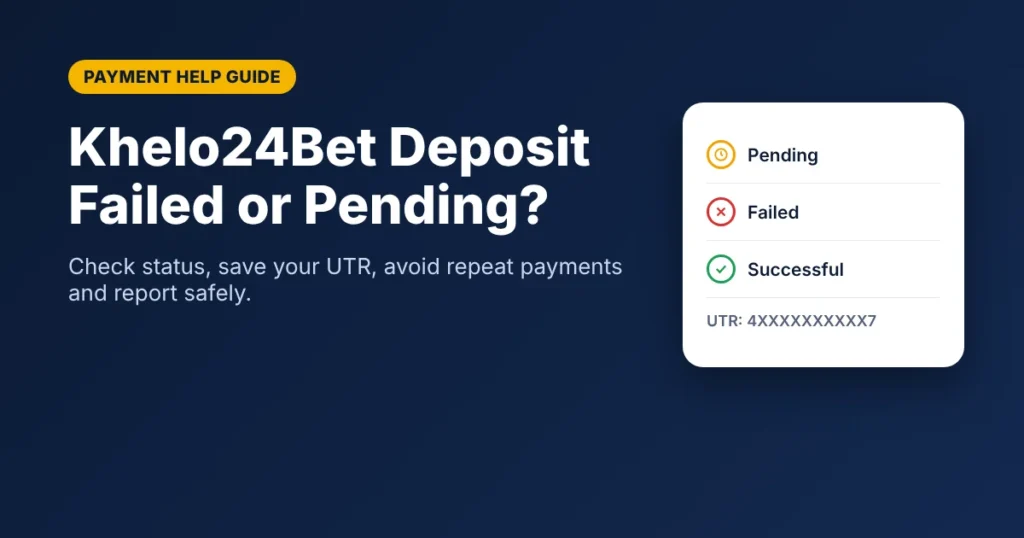
Did your bank account get debited, but the deposit is still not showing in your Khelo24Bet account? Or is your UPI payment stuck on pending? Before you try another transaction, check where the payment actually stands.
Do this first:
- Check your bank statement for the debit.
- Open your UPI app and check whether the payment shows Successful, Pending or Failed.
- Save the UPI reference number (UTR).
- Check the deposit history inside your Khelo24Bet account.
- Do not repeat the payment while the first one is unresolved.
A pending payment does not always mean your money is lost. This guide explains the common causes, how to check a UPI transaction, what to do when money is deducted but not credited, and how to report the problem safely.
Table of Contents
How Deposits Work on Khelo24Bet
According to the official Khelo24Bet website, deposits are made from your account dashboard by clicking the Deposit button and following the on-screen steps. The site lists UPI payments, bank transfers and digital payment options as supported methods, and its FAQ says deposit and withdrawal limits are shown in the banking section of your account.
Available methods, limits and fees can vary, so always check the Deposit page in your own account before paying.
Why Is My Khelo24Bet Deposit Not Working?
A deposit can be delayed at the bank, the UPI app, the payment network or the receiving platform.
| Possible reason | What it means |
|---|---|
| Bank server issue | Your bank may be temporarily unable to process the payment. |
| UPI processing delay | The payment confirmation has not yet reached the receiving system. |
| Incorrect payment details | The entered details may not match the intended recipient. |
| Transaction timeout | The payment request expired before confirmation. |
| Payment gateway issue | The payment processor did not complete the transaction. |
| Platform-side delay | The payment was received but not yet reflected in your balance. |
| Transaction limit | Your bank, UPI app or the platform’s deposit limit blocked the amount. |
Finding the transaction status is the first step towards fixing the problem.
What to Do If Money Is Deducted but Not Credited
Steps to follow when money is deducted but the Khelo24Bet deposit is not credited
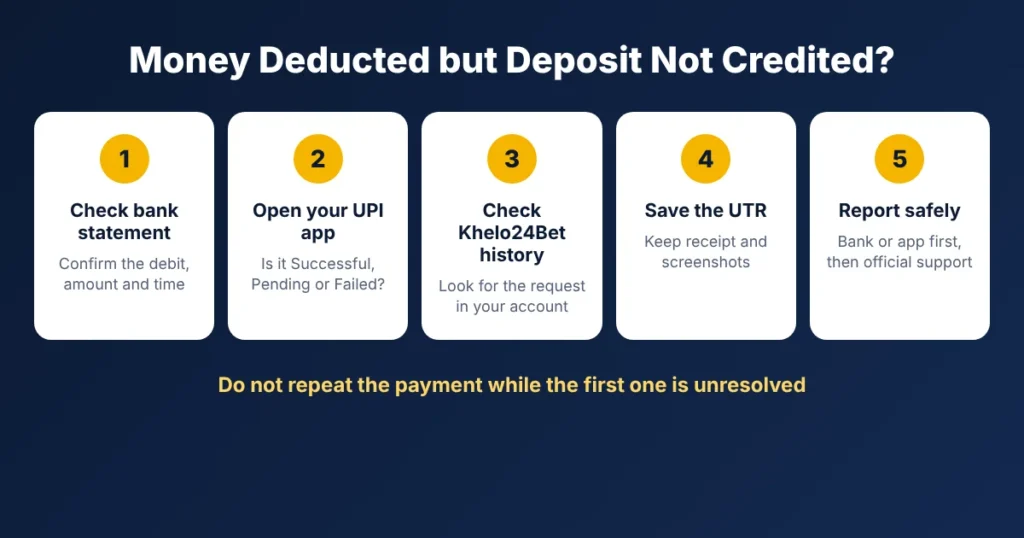
If your bank shows a debit but your Khelo24Bet balance has not changed, do not start another transaction. Follow these steps instead.
- Step 1: Check your bank statement. Note the date, time, amount debited, reference number and status.
- Step 2: Check your UPI app. Open Google Pay, PhonePe, BHIM or the app you used, go to transaction history and open the payment. Check whether it shows Successful, Pending or Failed.
- Step 3: Check your Khelo24Bet transaction history. Log in, open your account and look for the deposit request. Compare the amount and time with your bank record.
- Step 4: Keep the UTR and proof. Save the UTR, the payment receipt and screenshots of the bank debit and the UPI status.
- Step 5: Raise a complaint if needed. Start with your bank or UPI app if the payment is pending or failed. If the payment is successful but not credited, contact Khelo24Bet through the official channels listed below.
How to Check a Pending UPI Transaction
A pending UPI transaction has not yet received final confirmation. NPCI notes that a payment can get stuck at either the sender’s or the receiver’s end.
- Open your UPI app.
- Go to transaction history.
- Select the payment.
- Check the status shown.
- Note the UPI reference number.
- Use the app’s “Raise a complaint” or “Help” option if the status does not change.
Do not treat a pending payment as successful just because money has left your account. You can also confirm the status with your bank.
Common Khelo24Bet Deposit Errors and What to Do
| Payment issue | Recommended action |
|---|---|
| Payment shows pending | Wait for the final status and check with your UPI app or bank. |
| Money deducted, balance unchanged | Save the UTR and raise a payment enquiry. |
| Payment shows failed | Check your bank statement for an automatic reversal. |
| Payment shows successful, not credited | Share the UTR and receipt with Khelo24Bet support. |
| UPI app shows an error | Note the error message and contact the app’s support team. |
| Repeated failures | Stop retrying and ask your bank about limits or restrictions. |
| Amount above or below limit | Check the deposit limits in your account’s banking section. |
These are general steps. The actual resolution depends on the transaction status and each provider’s process.
Should You Make Another Deposit If the First One Is Pending?
No. Resolve the first transaction before paying again. Repeating a payment can cause duplicate debits and make the dispute harder to track.
Before doing anything else:
- Confirm the final status of the first payment.
- Check whether the amount has been reversed.
- Keep the UTR safe.
- Get confirmation from your bank or UPI app.
- Never send money to a UPI ID or account shared by an unknown person.
How to Report a Khelo24Bet Deposit Problem
Keep these details ready before contacting support:
| Information | Details required |
|---|---|
| Transaction date | Date of payment |
| Transaction time | Approximate payment time |
| Payment amount | Exact amount debited |
| Payment method | UPI, bank transfer or other method |
| UTR / reference number | From your UPI app or bank |
| Transaction status | Successful, pending or failed |
| Supporting proof | Receipt or screenshot |
Official Khelo24Bet Support Channels
The official Khelo24Bet Contact Us page lists the following channels:
| Channel | Details |
|---|---|
| support@khelo24bet.com | |
| Live chat | Available on the official website |
| Telegram | @Khelo24betsupport |
| Listed on the official Contact Us page |
Use only channels shown on the official website. For more ways to reach the team, see our Khelo24Bet customer support information.
Sample Payment Complaint Message
Subject: Deposit Transaction Not Reflected
Hello,
I made a deposit, but the amount has not been added to my account balance.
- Registered username or mobile number:
- Transaction date and time:
- Amount:
- Payment method:
- UTR / reference number:
- Current status in my UPI app:
Please check this transaction and update me on its status. I have attached the payment receipt.
Thank you.
Never share your UPI PIN, OTP, banking password or full card details in a complaint. No genuine support team will ask for them.
How Long Should You Wait for a Failed or Pending UPI Payment?
RBI auto-reversal timelines for failed UPI transactions
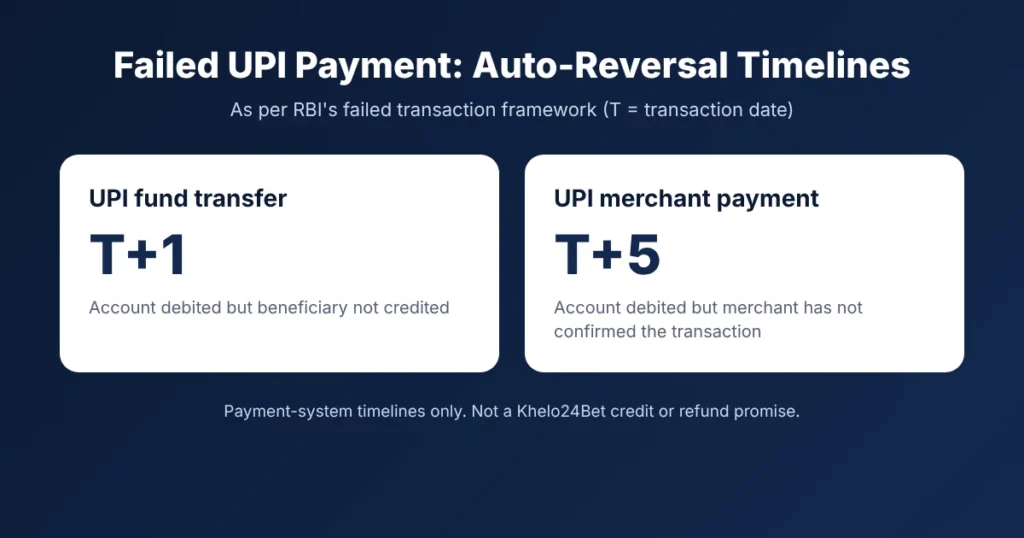
There is no single timeline for every payment. Under the Reserve Bank of India’s framework on failed transactions:
- UPI fund transfer: If your account is debited but the beneficiary is not credited, auto-reversal should happen by T+1 day.
- UPI merchant payment: If your account is debited but the merchant does not receive confirmation, auto-reversal should happen by T+5 days.
Here, T is the transaction date. The same framework also sets compensation payable by the bank if reversal is delayed beyond these timelines.
These are payment-system timelines, not a Khelo24Bet credit or refund promise. If the timeline passes without resolution, raise a complaint with your bank. If the bank does not resolve it, you can escalate through the RBI Complaint Management System.
Tips to Avoid Future Deposit Problems
- Check the payment details carefully before approving.
- Deposit only through the Deposit button inside your official account.
- Check your deposit limits before paying.
- Do not repeat payments while one is pending.
- Keep every receipt and UTR.
- Avoid payment links from unknown messages or social media accounts.
- Never share your UPI PIN, OTP or banking password.
If someone asks you to pay an extra amount to “release” a stuck deposit, stop. It is a common scam pattern. Verify with your bank first.
You can also read our Khelo24Bet withdrawal guide and withdrawal processing problems if you face issues taking money out. Please play within your limits and read our responsible gaming information.
Frequently Asked Questions
Why is my Khelo24Bet deposit showing pending?
A deposit can stay pending because of a bank server issue, delayed UPI confirmation or a payment processing interruption. Check the status in your UPI app and contact your bank if it does not change.
What should I do if money is deducted but my deposit is not credited?
Check your bank statement, save the UTR and confirm the status in your UPI app. If it shows successful, contact Khelo24Bet support with the UTR and receipt. If it shows pending or failed, contact your bank or UPI app.
Will I get my money back if a UPI transaction fails?
A failed UPI transaction where your account was debited should be auto-reversed under RBI rules, by T+1 day for fund transfers and T+5 days for merchant payments. Raise a complaint with your bank if it is not returned.
Can I make another deposit while the previous payment is pending?
It is safer not to. Wait until the first transaction is resolved to avoid duplicate payments.
Where can I find my UPI reference number?
Open your UPI app, go to transaction history and select the payment. The details screen shows the UPI reference number or UTR.
Which payment methods does Khelo24Bet support for deposits?
The official website lists UPI payments, bank transfers and digital payment options. Check the Deposit page in your account for the methods currently available to you.
How do I contact Khelo24Bet about a deposit problem?
The official Contact Us page lists email (support@khelo24bet.com), live chat, Telegram (@Khelo24betsupport) and WhatsApp. Share your UTR and receipt, never your PIN or OTP.
Is it safe to share my UPI PIN with customer support?
No. Never share your UPI PIN, OTP, banking password or other authentication details with anyone, including support agents.

Krishna Kapoor is a gaming industry expert with experience researching and writing about online gaming platforms, sports betting, casino games, responsible gaming, and digital gaming trends. Krishna focuses on creating clear, informative, and easy-to-understand content that helps readers better understand gaming platforms, features, promotions, safety practices, and responsible gaming. His work combines industry research with practical insights to provide useful and trustworthy information for online gaming audiences.