Khelo24Bet OTP Not Received? Login Verification Troubleshooting
Are you trying to log in to Khelo24Bet but the OTP is not arriving on your registered mobile number? Or have you tapped Resend OTP several times and still received nothing?
Try these checks first:
- Confirm you entered the mobile number registered with your account.
- Check your network signal and restart your phone.
- Look in your spam, blocked and promotional SMS folders.
- Wait for the 60-second timer to end before tapping Resend OTP.
- Enter only the latest code you received.
In most cases, a missing OTP is caused by the number, network or phone settings, not your account. This guide covers OTP delivery problems only. For the full sign-in steps, see our Khelo24Bet login guide.
Table of Contents
How OTP Verification Works on Khelo24Bet
Based on the official Khelo24Bet website, a one-time password is used in three places:
| Where | What happens |
|---|---|
| Login with OTP | You enter your +91 mobile number, tap Send OTP and enter the code received. |
| Registration | A 6-digit OTP is sent to your mobile number to verify it and complete sign-up. |
| Forgot password | You enter your username, email or mobile number to receive a reset OTP. |
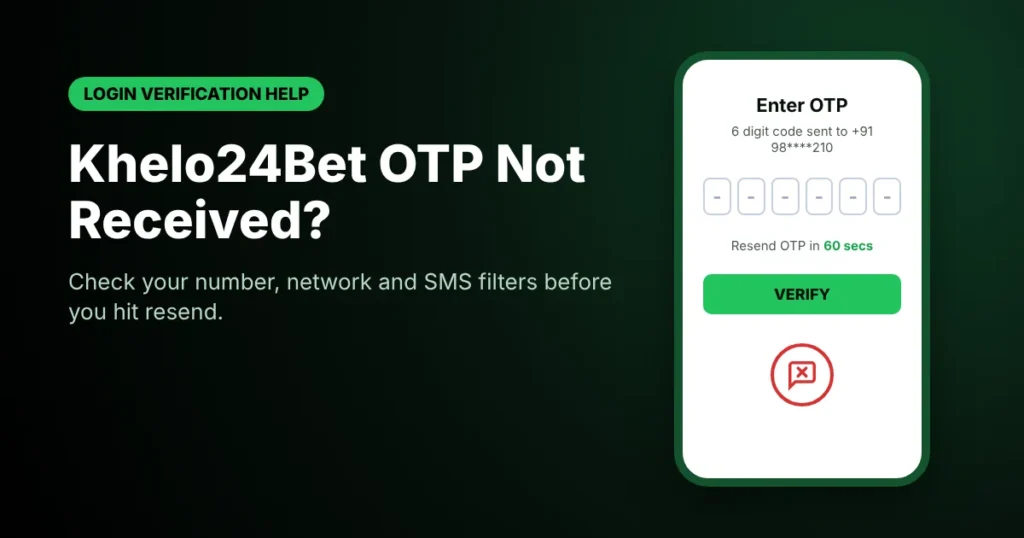
On each screen, the Resend OTP option unlocks after a 60-second countdown. A wrong or expired code shows the message “Please enter a valid OTP”.
Your registered number is shown partly hidden on the verification screen (for example, +91 98****210), so you can check the visible digits.
Why Am I Not Receiving My Khelo24Bet OTP?
| Possible reason | Explanation |
|---|---|
| Wrong or old mobile number | The code goes to the number on your account, not the phone in your hand. |
| Weak mobile network | Poor coverage can delay or block incoming SMS. |
| Operator delay | Your mobile operator may have a temporary SMS delivery problem. |
| Message filtering | Your SMS app may move codes to spam, blocked or promotional folders. |
| Device or app settings | Disabled notifications or a full inbox can hide messages. |
| Too many requests | Repeated requests may trigger a temporary limit. |
| Verification service issue | The system sending the code may have a technical problem. |
These are common OTP delivery causes. The exact cause for your account can only be confirmed by Khelo24Bet support or your mobile operator.
How to Fix Khelo24Bet OTP Not Received Problems
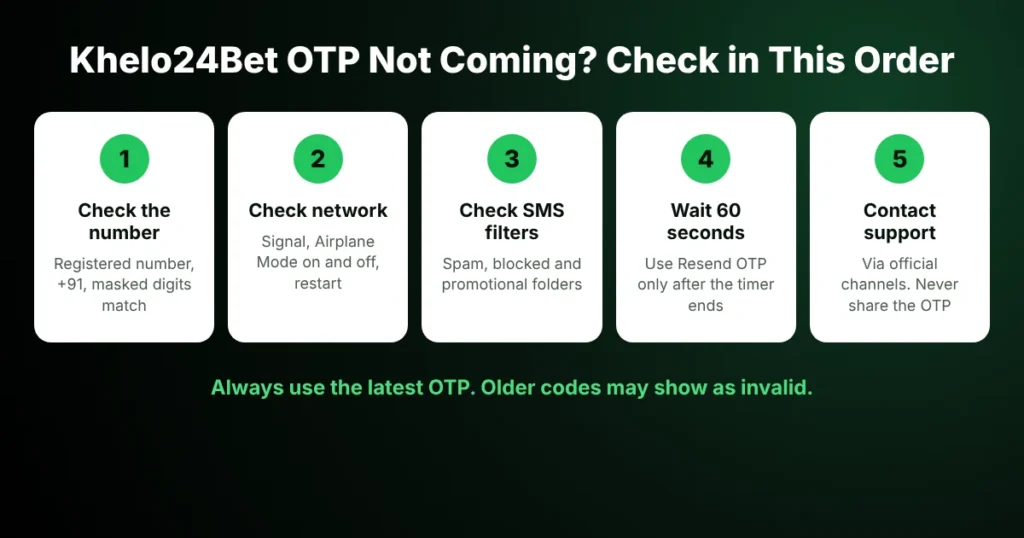
Checklist to follow when the Khelo24Bet OTP is not coming
1. Check Your Registered Mobile Number
Make sure you are using the number linked to your account. Compare the visible digits of the masked number on screen with your SIM. Khelo24Bet uses the +91 code, so enter your 10-digit Indian number without adding 0 or +91 again.
If you no longer use the registered number, the OTP cannot reach you. Contact support to update it (see below).
2. Check Your Mobile Network
- Check that you have network signal.
- Turn Airplane Mode on for a few seconds, then off.
- Restart your phone.
- Ask someone to send you a normal SMS to test delivery.
- In a dual-SIM phone, check that the registered SIM is active.
3. Check Spam, Blocked and Promotional Folders
Many messaging apps filter automated messages. Open your SMS app and check spam, blocked, archived and promotional or “Transactions” tabs. If you find the code, use it only on the official Khelo24Bet website. Do not tap any link in an unexpected SMS.
4. Check Your Phone’s SMS Settings
- SMS notifications are turned on.
- The sender has not been blocked by mistake.
- Your default messaging app has the required permissions.
- Your phone storage or SMS inbox is not full.
If no SMS messages are arriving at all, contact your mobile operator.
What to Do If Your OTP Is Delayed
OTPs can arrive late during network congestion. If you have already requested a code:
- Do not keep tapping Resend OTP.
- Wait for the full 60-second timer.
- Check your inbox and filtered folders.
- Confirm the number on screen is correct.
- Check whether your operator is facing an SMS outage.
If nothing arrives after a few attempts, stop and contact support instead of requesting more codes.
Why Is My Khelo24Bet Verification Code Not Working?
Receiving an OTP does not always mean verification will succeed. If you see “Please enter a valid OTP”, check the following:
| Possible issue | What to check |
|---|---|
| Expired OTP | Request a new code after the timer ends. |
| Wrong digits | Re-enter all 6 digits from the latest message. |
| Older OTP used | If you tapped resend, only the newest code works. |
| Autofill error | Type the code manually if autofill entered it wrongly. |
| Too many attempts | Wait and follow any message shown on screen. |
Should I Request Another OTP?
Yes, if the earlier code did not arrive or has expired. But wait for the 60-second countdown and avoid many requests in a row. A delayed code can arrive after a newer one, which causes confusion and “invalid OTP” errors.
If several resends fail, fix the underlying cause (number, network or filters) or contact support.
Can’t receive the OTP during a password reset? You can also reset your account password using your username or email on the reset screen.
How to Protect Your Account During OTP Verification
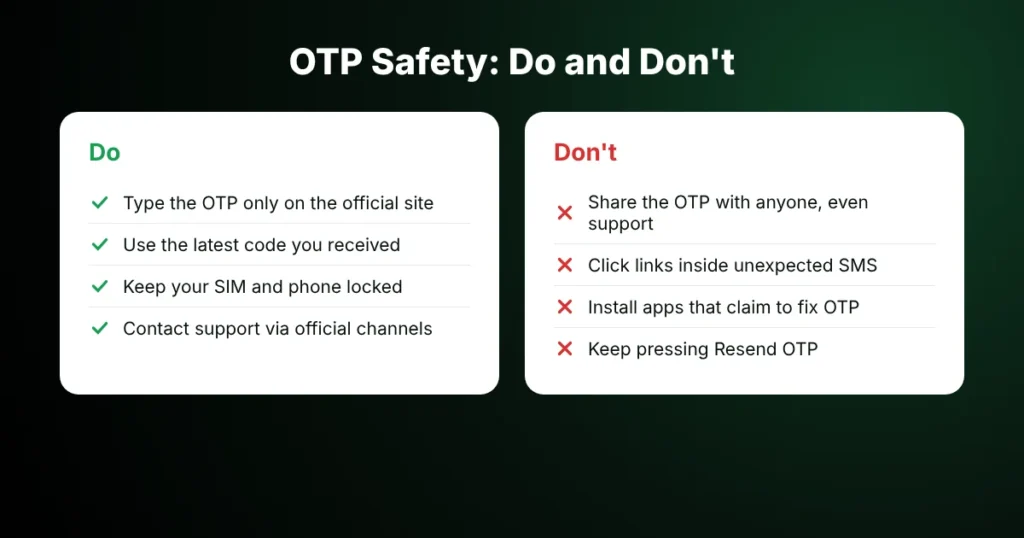
Khelo24Bet OTP safety tips: what to do and what to avoid
- Never share your OTP with anyone, including people claiming to be support.
- Enter the code only on the official Khelo24Bet website or app.
- Do not click links in unexpected SMS messages.
- Do not install apps that claim to fix OTP problems.
- Keep your phone and SIM locked.
- If you receive an OTP you did not request, do not use it and change your password.
- Contact your operator if your SIM suddenly stops working, as this can signal a SIM swap.
When Should You Contact Customer Support?
Contact support if you have checked your number, network, SMS folders and settings and still get no code, or if you need to change your registered mobile number.
The official Khelo24Bet Contact Us page lists these channels:
| Channel | Details |
|---|---|
| support@khelo24bet.com | |
| Live chat | Available on the official website |
| Telegram | @Khelo24betsupport |
| Listed on the official Contact Us page |
The login screen also has a “Having any issue? Contact Customer Support” link. For more help, see our customer support information.
Keep these details ready:
| Information | What to provide |
|---|---|
| Username | Your registered username |
| Registered number | Share only through an official channel |
| Request time | When you requested the OTP |
| Screen | Login, registration or forgot password |
| Error message | Exact text shown, if any |
| Device and operator | Phone model and mobile network |
Sample Support Message
Subject: OTP Not Received During Login Verification
Hello,
I am not receiving the OTP on my registered mobile number.
- Username:
- Screen (login / registration / forgot password):
- Approximate time of request:
- Mobile operator:
- Error message shown (if any):
I have checked my network, SMS folders and the registered number. Please check whether there is a verification issue on my account.
Thank you.
Never include your OTP, password, UPI PIN or banking details in a support message.
Khelo24Bet OTP Not Received?
Why am I not receiving my Khelo24Bet OTP?
Common reasons are a wrong or old registered number, weak network, operator delays, SMS filtering or a temporary verification service issue.
How long should I wait before requesting another OTP?
The Khelo24Bet verification screen shows a 60-second countdown before Resend OTP becomes available. Wait for it to finish before requesting a new code.
How many digits is the Khelo24Bet OTP?
The registration screen asks for a 6-digit OTP sent to your mobile number.
Why does my correct OTP show “Please enter a valid OTP”?
The code may have expired, been replaced by a newer one after a resend, or been entered with a wrong digit. Use only the latest code.
What if I changed my mobile number?
The OTP is sent to the number registered on your account. Contact Khelo24Bet support through the official channels to update it.
Can I log in without an OTP?
The official login page offers both username and password login and Login with OTP. If OTP is not arriving, you can use your password if you remember it.
Is it safe to share my OTP with customer support?
No. Never share your OTP with anyone. Genuine support will not ask for it.
What if I am not receiving any SMS messages at all?
Check your network, SIM and SMS settings. If ordinary messages also fail, contact your mobile operator.

Krishna Kapoor is a gaming industry expert with experience researching and writing about online gaming platforms, sports betting, casino games, responsible gaming, and digital gaming trends. Krishna focuses on creating clear, informative, and easy-to-understand content that helps readers better understand gaming platforms, features, promotions, safety practices, and responsible gaming. His work combines industry research with practical insights to provide useful and trustworthy information for online gaming audiences.