
Khelo 24 Bet Mod APK & iOS Download – Malware Risks
Searching for Khelo 24 Bet mod APK, Khelo 24 app download APK latest version, or Khelo24Bet app download iOS can lead you to third-party download pages that are difficult to verify. A mod APK is an Android application package modified and redistributed by someone other than the original publisher, so you should not assume that a file is safe simply because it uses the Khelo24Bet name or logo.
For this guide, the safest approach is simple: do not download a Khelo24Bet mod APK from an unknown website. Verify that you are on the correct, trusted Khelo24Bet source before entering account details or downloading anything. During research for this article, no verified Khelo24Bet listing was confirmed in Apple’s App Store; availability can change, so the App Store should be checked again before publication.
Quick Answer
- Do not download a Khelo 24 Bet mod APK from an unknown or unverified website.
- A mod APK is an Android installation package that has been modified and redistributed by a third party.
- A “latest version” label does not prove that an APK is genuine, safe, or published by the legitimate operator.
- An Android APK cannot be installed on an iPhone. Be especially cautious with pages advertising a “Khelo24Bet APK for iOS.”
- If an unfamiliar APK or profile has already been installed, stop entering sensitive information, remove the suspicious software, review permissions, update the device, and secure important accounts.
Table of Contents
Why Are People Looking for Khelo 24 Bet Mod APK?
Searches for terms such as Khelo 24 Bet mod APK, Khelo 24 app download APK latest version, and Khelo24Bet app download iOS can happen when users are looking for a mobile application and do not see a conventional app-store listing.
This can create an important distinction between two things:
- Finding a legitimate way to access a service
- Downloading an unofficial modified application
The second option creates additional security risks because a third party may have changed the application before distributing it.
Why Mod APK Searches Can Be Misleading
A search result may advertise an APK as:
- Latest version
- Premium unlocked
- No restrictions
- Free bonus
- Unlimited balance
- Faster version
- Official APK
- Updated APK
- iOS APK
None of these descriptions independently proves that the file is authentic.
A familiar brand name, application icon, download button, or version number can be copied easily.
No App Store Listing Does Not Make a Mod APK Official
If an application is not available through a conventional app store, that does not mean that a modified APK from a random download website becomes the official version.
The correct approach is to verify the legitimate source first.
If the official service provides a mobile website instead of a store application, use the verified website rather than replacing it with an APK obtained from an unknown source.
What Is a Khelo 24 Bet Mod APK?
An APK is the package format used by Android to install applications.
A mod APK is an APK that has been altered after the original application was created and then redistributed by another party.
The person distributing the modified file may claim that it contains additional features, unlocked functionality, removed restrictions, free access, or other benefits.
However, the word “mod” does not tell you what was actually changed.
Why a Modified APK Cannot Be Trusted Automatically
When you install an application from an established distribution channel, there is a clearer relationship between the publisher, application package, update process, and security checks.
With a random mod APK, that chain of trust is much weaker.
The file could have been modified to include unwanted or malicious functionality.
This does not mean every third-party APK necessarily contains malware. It means that you should not treat an unverified modified APK as trustworthy simply because it appears to work.
What Can a Malicious APK Do?
A malicious or repackaged application may attempt to:
- Read SMS messages or notification content.
- Capture login credentials through fake screens.
- Request Accessibility access.
- Request device-administrator permissions.
- Ask for permission to install additional applications.
- Display intrusive advertisements.
- Redirect browsers to unfamiliar websites.
- Access contacts, photos, files, location, microphone, or camera.
- Abuse notification access.
- Interfere with normal device behaviour.
Google warns that applications installed from unknown sources can put devices and personal information at risk, while Play Protect provides security checks for applications from Google Play and other sources.
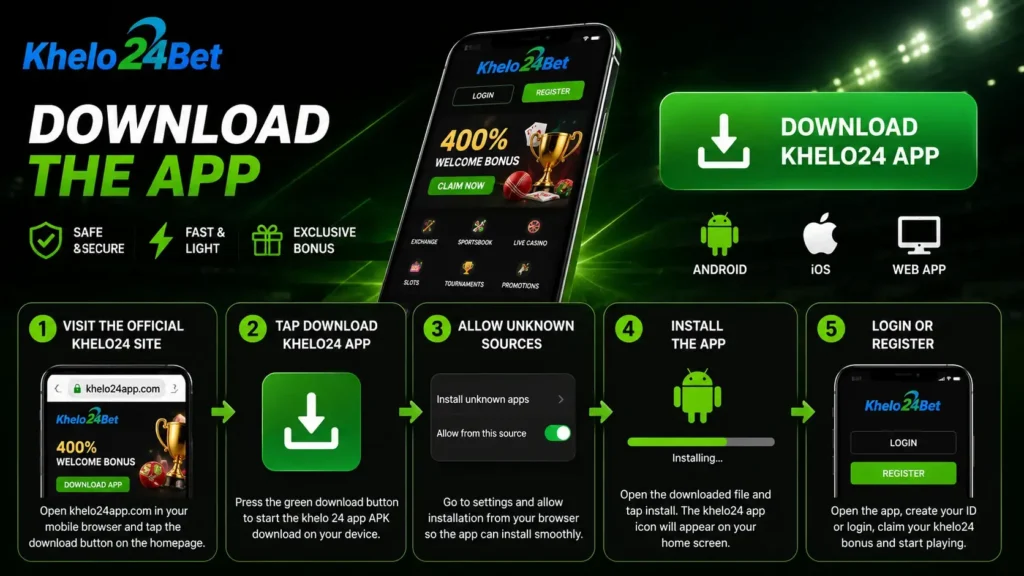
Why Should You Avoid Khelo 24 Bet Mod APK Downloads?
The biggest issue is not simply whether the APK works.
The problem is that you may not know what has been changed inside the file.
Risk of Fake Login Screens
A modified application can imitate a normal login page while collecting the credentials entered into it.
If you enter the same password elsewhere, the risk becomes even greater.
Use unique passwords for important accounts and never provide passwords, OTPs, UPI PINs, or card CVVs to anyone claiming that they are required to activate or verify an application.
Risk of Excessive Permissions
A basic application should have a clear reason for each permission it requests.
Be suspicious when an APK unexpectedly asks for:
- SMS access
- Accessibility access
- Notification access
- Device administration
- Screen-sharing access
- Contacts
- Microphone
- Camera
- Files
- Location
Requests to weaken Android security or enable restricted settings should be treated as a warning sign.
Risk of Account Theft
If a fake application captures your username, password, OTP, or other account information, the consequences can extend beyond the application itself.
This is why you should never enter sensitive credentials into an application simply because the interface looks familiar.
Risk of Financial Fraud
If the application or website handles payment-related activity, the stakes are higher.
Never provide:
- UPI PIN
- OTP
- Card PIN
- CVV
- Banking password
- Net-banking credentials
to an app, website, chat agent, or caller merely because they claim that the information is needed for a deposit, withdrawal, verification, bonus, or update.
How to Identify a Fake “Khelo 24 App Download APK Latest Version” Website
Searches for Khelo 24 app download APK latest version can return pages that imitate official download resources.
A page should not be considered trustworthy simply because it ranks highly in search results.
Check the Domain Carefully
Look at the complete domain before downloading anything.
Warning signs include:
- Misspelled brand names.
- Extra words inserted into the domain.
- Unfamiliar domain endings.
- Domains unrelated to the source you previously verified.
- Multiple redirects before reaching the download.
- Download links hidden behind URL shorteners.
A professional-looking website does not automatically mean it is the legitimate source.
Avoid Download Links From Unexpected Messages
Be cautious with APK links sent through:
- Telegram
- SMS
- Social media messages
- Unknown forums
- Pop-up advertisements
- Random download pages
An unexpected link should not be treated as an official update.
Never Disable Security to Install an APK
One of the strongest warning signs is a page instructing you to disable security protections before installing its file.
If a website tells you to:
- Turn off Play Protect.
- Ignore a security warning.
- Enable unrestricted installation permissions.
- Grant Accessibility access.
- Install an unknown device administrator.
stop the installation and leave the page.
Do Not Trust “Guaranteed” Claims
Claims such as:
- Guaranteed winnings
- Unlimited balance
- Unlimited bonuses
- Hacked games
- Free premium access
- KYC bypass
- No verification required
are major warning signs.
The purpose of a download page should not be to convince you to bypass security or identity protections.
How to Verify You Are on the Correct Website
Before entering credentials or downloading anything, independently verify the domain you intend to use.
Check the Address
Do not rely solely on the first Google result or an advertisement.
Type or access the verified domain directly when possible.
Check the Site’s App Information
If the legitimate service provides information about its mobile access method, compare that information with the page you are viewing.
The objective is to confirm:
- Correct domain
- Correct branding
- Correct navigation
- Consistent contact information
- Expected mobile-access instructions
Check Before Every Download
Do not assume that a website is genuine just because you used it previously.
Before installing an update, verify the current source again.
This is particularly important when a page claims to provide a “new APK” or “latest version.”
Is There a Khelo24Bet iPhone App?
During the research for this article, no verified Khelo24Bet listing in Apple’s App Store was confirmed. A current Khelo24Bet-branded guide reviewed for this article states that there is no separate Android or iOS application and recommends using the mobile website instead. Because app availability can change, the App Store should be checked again immediately before publication.
The important point for users is that an Android APK is not an iPhone application.
Can an APK Be Installed on an iPhone?
No.
APK is an Android application package format. An iPhone does not install Android APK files.
Therefore, a page advertising a “Khelo24Bet APK for iOS” should be treated with caution.
It may be using incorrect terminology or attempting to redirect users toward another installation method.
Be Careful With iOS Configuration Profiles
Some websites may avoid offering an APK and instead ask the user to install:
- Configuration profiles
- Device-management profiles
- Enterprise applications
- Unknown certificates
- Unfamiliar VPN profiles
Do not install an unknown profile merely because a website says it is required to access an application.
Apple explains that configuration profiles and mobile-device-management tools can control device settings and may provide access to device information or location.
Is TestFlight the Same as the App Store?
No.
TestFlight is Apple’s system for distributing beta applications for testing.
A TestFlight invitation does not mean that the application is a normal public App Store release.
Apple’s TestFlight process uses an invitation or public link and beta builds are subject to Apple’s testing process.
Only accept a TestFlight invitation that you were expecting and where you can independently verify the developer and purpose.
What Are the Signs That Your Phone May Be Infected?
Installing a suspicious APK does not automatically prove that your phone is infected.
However, unexpected changes after installing an untrusted application should be investigated.
Common Warning Signs
Look for:
| Warning Sign | What It May Indicate |
|---|---|
| Rapid battery drain | Unexpected background activity |
| Phone overheating | Unusual processing or background activity |
| Unexplained data usage | Unwanted network activity |
| Pop-ups outside the browser | Adware or unwanted software |
| Browser redirects | Malicious or unwanted changes |
| Unknown applications | Unauthorised installation |
| Security settings changed | Potential security abuse |
| Unexpected OTPs | Possible account activity |
| Unknown login alerts | Possible credential compromise |
| Unauthorised transactions | Potential financial-account compromise |
| App cannot be removed | Possible elevated permissions |
The FTC identifies symptoms such as slow device performance, crashes, redirects, new toolbars, repeated errors, and messages sent without the owner’s knowledge among potential malware warning signs.
One Symptom Does Not Prove Malware
Battery drain or an occasional crash can have many causes.
Look at the overall pattern.
If several unusual behaviours appeared immediately after installing an unknown APK, treat the situation seriously and investigate before entering additional sensitive information.
What Should You Do If You Installed a Suspicious Khelo 24 Bet Mod APK?
If you already installed a suspicious APK, stop using it before entering additional personal, login, or payment information.
Step 1: Stop Entering Sensitive Information
If the phone is behaving suspiciously, disconnect it from Wi-Fi and mobile data if appropriate.
Do not open:
- Banking applications
- Email accounts
- UPI applications
- Payment wallets
- Important social accounts
- Other sensitive accounts
on a device you suspect may be compromised.
Step 2: Uninstall the Suspicious Application
Open your Android settings and locate the unfamiliar or recently installed application.
Remove the suspicious application.
Also check for other applications you do not recognise.
Step 3: Review Dangerous Permissions
After removing the application, review:
- Accessibility
- Device administrator apps
- Notification access
- VPN
- Install unknown apps
Remove permissions or access that you did not intentionally grant.
Then disable the ability to install applications from unknown sources for the browser or file manager that was used.
Step 4: Run Google Play Protect
Open Google Play and access Play Protect.
Run a security scan and review any warnings.
Also install available Android security updates and Google Play system updates.
Google’s malware-removal guidance recommends Play Protect, security updates, removal of untrusted applications, and an account security review.
Step 5: Secure Your Accounts
If you entered a password into the suspicious application, change it from a clean and trusted device.
Prioritise:
- Email account
- Google account
- Banking accounts
- UPI/payment accounts
- Khelo24Bet account
- Other accounts using the same password
Use unique passwords and enable two-factor authentication where available.
Step 6: Check Financial Transactions
Review your bank and payment-app transaction history.
Look for:
- Unknown transfers
- Unexpected UPI transactions
- Unknown subscriptions
- Unauthorised payments
- Unusual account activity
If you see an unauthorised financial transaction, contact the relevant bank or payment provider using its official support channel.
Step 7: Consider a Factory Reset if Problems Continue
If suspicious behaviour continues after removing the application and reviewing permissions, a factory reset may be necessary.
Before resetting:
- Back up essential personal files.
- Do not restore the suspicious APK.
- Do not reinstall unknown applications.
- Make sure important account credentials are secure.
If you are unsure, use the manufacturer’s official support process or a trusted technician.
How to Remove an Unknown Profile From an iPhone
If you installed an unfamiliar configuration profile on an iPhone, inspect:
Settings → General → VPN & Device Management
If you find an unknown profile, review it carefully before removing it.
Apple provides instructions for deleting an unknown configuration profile and restarting the device afterward.
Update the iPhone
Install the latest available iOS update.
Then review:
- Installed applications
- Apple Account devices
- Account security
- Privacy permissions
- VPN configurations
- Device-management profiles
Apple’s Safety Check can also help review connected devices and privacy/security settings on supported iPhones.
How to Stay Safe When Looking for a Khelo24Bet App
The safest approach is to verify the source before downloading anything.
Use the Verified Source
Do not search for a random APK mirror simply because it promises a newer version.
Use the verified Khelo24Bet website or the legitimate distribution method identified by the service.
Check for Updates From the Source
If the service provides an application or mobile-access update, follow the update notification or instructions from the verified source.
Do not treat an APK hosted on a random third-party website as an official update.
Keep Security Enabled
Keep device security features enabled.
Do not disable security protections simply to install a file.
Review Permissions
If an application asks for access that does not make sense for its stated purpose, stop and investigate.
Never Share Authentication Secrets
No legitimate download or update process should require you to disclose your:
- Password
- OTP
- UPI PIN
- Card CVV
- ATM PIN
- Banking password
- Device passcode
Why “Latest Version” Does Not Mean “Safe”
The phrase “Khelo24Bet download APK latest version” can make a page appear current, but the wording itself proves nothing.
Anyone can rename a file or webpage as:
Latest Version 2026
A trustworthy update should be traceable to a source that you can independently verify.
Version Numbers Can Be Copied
A fake APK can display the same version number as a legitimate application.
Therefore, version number alone should never be used as proof of authenticity.
Updated Date Can Also Be Fake
A webpage saying:
Updated October 2026
does not prove that the APK was actually released or verified in October 2026.
Look at the source and distribution channel rather than relying on marketing text.
What Should You Do Before Downloading Any Khelo24Bet File?
Use this checklist:
| Check | Safe Practice |
|---|---|
| Website | Verify the domain independently |
| Source | Use the legitimate source rather than an APK mirror |
| App Store | Check the official store directly |
| Version | Do not trust a version number by itself |
| Security | Keep device security enabled |
| Permissions | Reject unnecessary access |
| Messages | Avoid unsolicited download links |
| Credentials | Never share passwords or OTPs |
| Payments | Never provide UPI PIN or CVV |
| Update | Verify updates through the trusted source |
Frequently Asked Questions
Is Khelo 24 Bet mod APK safe?
No third-party mod APK should be assumed to be safe. A mod APK has been modified and redistributed outside the normal trusted release process, so it may contain unwanted or malicious functionality. Do not install an unverified mod APK.
What is the safest Khelo24Bet app download APK latest version?
Do not rely on a third-party APK labelled “latest version.” First verify whether a legitimate application is actually available through an official distribution channel. If the service provides mobile-web access instead, use the verified website rather than an unknown APK mirror.
Why do people search for Khelo24Bet mod APK?
Users may search for a mod APK when they cannot find a conventional application through Google Play or Apple’s App Store or when they are looking for additional features. However, the absence of a store listing does not make a third-party modified APK official or safe.
Can I install a Khelo24Bet APK on an iPhone?
No. APK files are designed for Android and cannot be installed as native iPhone applications. Be cautious with websites that advertise a “Khelo24Bet APK for iOS” or redirect you to an unknown configuration profile.
Is there a Khelo24Bet app on the Apple App Store?
No verified Khelo24Bet App Store listing was confirmed during the research for this article. A current Khelo24Bet-branded guide states that there is no separate Android or iOS application and recommends using the mobile website. Because App Store availability can change, verify the App Store immediately before publication.
What if I entered my UPI PIN or banking information?
Contact your bank or payment provider through its official support channel and review recent transactions immediately. Do not provide the same information to someone who contacts you claiming to be support.

Krishna Kapoor is a gaming industry expert with experience researching and writing about online gaming platforms, sports betting, casino games, responsible gaming, and digital gaming trends. Krishna focuses on creating clear, informative, and easy-to-understand content that helps readers better understand gaming platforms, features, promotions, safety practices, and responsible gaming. His work combines industry research with practical insights to provide useful and trustworthy information for online gaming audiences.